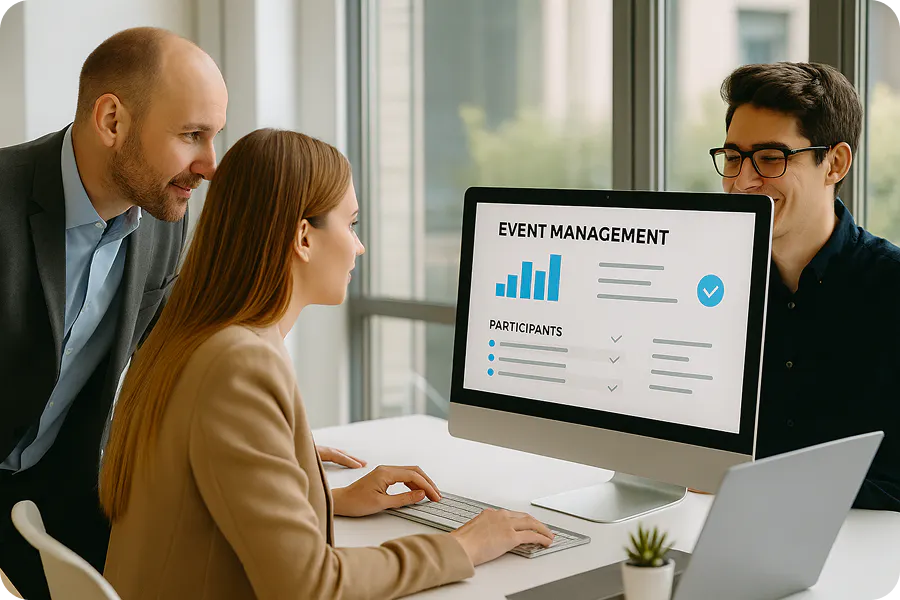
Wondering how to choose an event platform that's genuinely suited to your professional events? Between registration tools, ticketing solutions, event apps, and event management software, the choice is vast, and sometimes confusing.
Here's the complete guide to choosing the event platform that will help you manage your events more efficiently and improve your attendees' experience.
What is an event platform, and what is it really for?
Event platform vs. “a la carte” tools
For a long time, organizers used several tools to manage an event: a ticketing software, an emailing tool for invitations, a spreadsheet for attendee management, a check-in tool, etc.
The result? A complex organization, scattered data, and a lot of time lost to coordination.
By contrast, a complete event platform centralizes all these features in a single tool.
In practice, you move from a stack of tools to a global event solution, designed to manage every stage of your event and centralize attendee data.
Who are event platforms for?
Today, event management platforms are used across many roles. And for good reason: they make life easier for every team involved in organizing an event.
- Marketing and communication teams use them to generate leads, build brand visibility, and manage invitations.
- Event managers and event agencies rely on these tools to run logistics, registration, and the attendee experience.
- Sales or HR teams use them to organize client, partner, or employee events.
Either way, the promise stays the same: better event organization, time saved, and centralized data.
The 4 functions of an event platform
A professional event platform generally covers four main functions, each matching a key stage in organizing an event.
- Attracting attendees: registration pages, invitations, ticketing
- Managing the event: attendee database, program, event logistics
- Engaging attendees: networking, personalized agenda, event app
- Measuring results: statistics, performance analysis (attendance, satisfaction, ROI)
In other words, an event management platform lets you run the entire event lifecycle, from registration through post-event analysis.
What are the benefits of an event platform?
Organizing a professional event involves many teams, tools, and processes. Invitations, registration, logistics, communication, attendee follow-up: coordination can quickly become complex. This is exactly where an event platform comes in.
Centralize to save time (and reduce errors)
When an event is managed with several tools, data ends up scattered. The result: files passed back and forth between teams, a higher risk of errors in attendee lists, time-consuming repetitive tasks, and harder coordination.
An event management platform centralizes all information in one place. In practice, you get a single tool to manage your event from start to finish. Fewer manual steps, less risk of error, and above all, much less time lost.
Standardized processes for better-organized events
When a company organizes several events a year (conferences, seminars, trade shows, client events, etc.), processes can quickly start to vary from one project to the next.
With an event platform, you can standardize your organization, for example through:
- Templates for registration pages or event websites
- Email templates and invitations
- Automated workflows for registration
- Clear management of roles and permissions
The result: every event becomes easier to organize. Teams become more efficient, event management runs more smoothly, and new projects launch much faster.
Clear oversight thanks to a “single source of truth”
An event isn't just about organizing it, you also need to measure its impact. How many attendees were actually there? What level of engagement during the conferences? How many leads were generated?
An event management platform makes it easy to answer these questions, thanks to:
- Real-time dashboards
- Attendee data exports
- Registration and attendance statistics
- Syncing with your CRM or marketing tools
This gives you a single source of truth to analyze your events' performance and improve the next ones.
What are the key criteria for choosing your tool?
Must-haves for the attendee experience
A successful event starts with a smooth user experience. Every interaction with your attendees (before, during, and after the event) should be simple, intuitive, and consistent with your brand image.
A high-performing event platform must therefore support the entire attendee journey:
- Before the event: browsing the event website or landing pages, quick and simple registration, choosing workshops or sessions from the program, practical information to prepare for attending.
- On the day : event access and fast check-in, a personalized agenda, networking or matchmaking between attendees, useful notifications during the event.
- After the event: follow-up communications, satisfaction surveys, access to replays for hybrid or digital events
But that's not all. The quality of the attendee experience also depends on customizing your platform to your brand colors, the platform's stability (it needs to handle large volumes of traffic), and an offline mode to run check-in even without a connection.
Keep this in mind: a smooth experience for your attendees becomes a reassuring one for organizers.
💬 “Too many organizers still choose their platform based on features alone. In reality, the real difference comes down to user experience and data management. The success of an event mostly comes down to how smooth and personalized the experience is for the attendee: simple registration, fast check-in, easy interactions, post-event follow-up. A good event platform should orchestrate this entire journey, while helping organizers run their projects through data. And this centralization of event management then lets them save time to reinvest in designing a distinctive, memorable experience. ”, Cannelle Guinet, Customer Success
Must-haves for production
Organizing an event is a complex project. Between managing registrations, coordinating speakers, on-site logistics, and communication, event teams need a simple, reliable tool.
The first thing to check is therefore the usability of the event platform. A good solution should let you quickly create an event, manage registrations and invitations, edit content easily, and manage attendees without complicated steps.
Next, customer support is a criterion that's often underestimated, yet essential. In practice, you need to be able to count on responsive support, fast technical assistance, and a hotline available on the day in case something unexpected happens.
Finally, some platforms may offer useful additional services, such as:
- Strategic support for your events
- On-site teams
- Access control equipment rental
- Printing of event badges
These services can make a real difference when organizing large-scale events.
Must-haves for data
Today, an event is also a strategic lever for marketing data. Your platform should therefore let you easily collect, analyze, and use the information tied to your events.
This includes:
- Tracking your event KPIs
- Monitoring registration and attendance rates
- Analyzing attendee engagement
- Measuring satisfaction
For B2B events, it's also essential to be able to track generated leads and analyze interactions between attendees.
Finally, always check the platform's integration capabilities. A good solution should be able to connect to your existing tools: CRM, marketing tools, analytics solutions, etc.
This ensures your event data feeds directly into your marketing and sales strategy, so your event becomes a genuine source of value.
7 key steps to choosing your event platform
Step 1: clarify your goals
Even before comparing solutions on the market, start with a simple question: why are you organizing these events?
Goals can vary widely from one company to another:
- Generating marketing leads
- Building your brand's visibility
- Building loyalty with clients or partners
- Organizing internal HR events
- Building a community around your company
In practice, these goals will shape the features you need, as well as the data and performance indicators to track. In other words: your event strategy should guide your choice of platform.
Step 2: map out your events
Not every company organizes the same kind of events. Some run a few internal seminars a year. Others run international conferences or trade shows bringing together several thousand attendees.
So take the time to identify:
- The types of events you organize (conferences, trade shows, seminars, client events, etc.)
- The format: in-person, hybrid, or online event
- The average number of attendees
- How often you hold events during the year
- Logistical complexity: multiple rooms, multiple venues, streaming, etc.
This mapping will help you choose a solution that can handle your events at their real scale.
Step 3: formalize your “must-haves” vs. “nice-to-haves”
Every event platform offers plenty of features. But not all of them are essential.
To make your choice easier, sort your needs into two categories:
- Essential features: registration management, event website creation, ticketing and payment, access control and check-in, event reporting, etc.
- Secondary features: advanced networking, event mobile app, AI matchmaking, social wall, community features, etc.
Think in terms of features, but also your requirements around security standards, usability, and the vendor's commitment to their tool's performance.
This prioritization helps you choose an event platform that truly fits how you work.
Step 4: demand data centralization
One of the biggest benefits of an event management platform is data centralization.
Your solution should let you:
- Centralize your attendee database
- Keep a history of your events
- Segment your guests
- Sync data with your CRM
This way, your events become a strategic source of marketing and sales data.
Step 5: secure compliance and governance
Managing attendee data comes with regulatory obligations.
Your platform must therefore be:
- GDPR-compliant
- Transparent about data management
- Compliant with consent and retention rules
- ISO 27001 certified
Also check role and permission management, especially if several teams or partners can work on managing your events.
Step 6: test with a real case
Nothing replaces a hands-on test. Ideally, run a POC (Proof of Concept) on a real event, for example an internal event, a small seminar, or a smaller-scale conference.
Define success criteria up front:
- Ease of creating the event
- Simplicity of registration
- Smoothness of check-in
- Quality of the data collected
- Attendee satisfaction
This test validates how the platform performs in real use.
Step 7: measure ROI
Last step: measure your event platform's ROI before, during, and after the event.
Analyze:
- Before the event: invitation performance and the registration rate.
- During the event: the actual attendance rate, attendee engagement, networking interactions, etc.
- After the event: attendee satisfaction, leads generated, marketing or sales impact
To go further on this topic, check out our article on the essential event KPIs to prove your ROI and defend your budget. These indicators will help you run your events like true strategic projects.
What features should you demand from an event platform?
Not all event platforms offer the same capabilities. Some are limited to registration or ticketing, while others cover the entire event management process, from communication through performance analysis.
If you want to choose a complete event platform, certain features are non-negotiable. Here are the main ones.
Registration, ticketing, and attendee journey
A good event management platform should simplify the whole registration phase.
Essential features:
- Configurable registration forms
- Invitation management and RSVP
- Ticketing and online payment (if needed)
- Automated transactional emails: confirmation, ticket delivery, practical information
Attendee management and database
An event generates a lot of information. Your platform should therefore let you centralize attendee data.
Key features:
- Attendee directory
- Segmenting your database, to target different types of guests: VIPs, prospects, clients, press, partners, etc.
- Multi-event history
- Data export or CRM sync
Communication and marketing automation
A high-performing event platform should also make your communication easier.
Important features:
- Creating event websites or landing pages
- Email campaigns and no-show follow-ups
- Automated scenarios: registration confirmation, day-before reminder, post-event feedback, etc.
- UTM tracking to measure performance
Content and program management
Program management is a central part of organizing an event.
Expected features:
- Scheduling for conferences, workshops, or sessions
- Speaker management
- Dedicated pages for the event's sponsors or partners
- Streaming or replay for hybrid or digital events
Check-in, access control, and on-site logistics
On the day, everything needs to run smoothly.
A professional event platform should therefore offer:
- Mobile check-in via QR code
- Queue management and arrivals
- Printing and managing event badges
- Real-time attendance statistics
Attendee interaction and engagement
Today, an event is no longer just a program: modern platforms offer tools to boost attendee engagement.
For example:
- Networking between attendees, to improve interaction
- Matchmaking, by AI or by criteria
- Personalized sessions and agenda
- Mobile event app
- Chat or messaging
- Social Wall
These features improve the user experience and encourage interaction.
Data, analytics, and ROI
An event management platform should also let you measure the real impact of your events.
Essential features:
- Tracking event KPIs: registration rate vs. attendance rate,
- Satisfaction surveys and NPS
- Personalized dashboard
- Tracking generated leads (for B2B events)
This data lets you assess your events' performance and improve future editions.
Integrations, security, and compliance
Finally, your platform needs to integrate with your digital ecosystem.
Key features:
- Integration with your CRM (HubSpot, Salesforce, etc.)
- GDPR compliance , including consent management, secure data retention, right to be forgotten, etc.
- Role and permission management
You'll have gathered by now: choosing your tool shapes not only your event management, but also your marketing strategy and the attendee experience you want to offer.
The best event platforms handle the entire production and tracking chain for events, as well as the whole user journey.
That's precisely the goal of a solution like Digitevent.
And if you want to see concretely how a complete event management platform can simplify your organization and improve your events, the simplest way is still to try it.
Request a Digitevent demo to see the platform in action.